


How to Cancel a Police Cita in Spain Online (NIE Appointment)
If your plans have changed, you do not need to call anyone or go to the police station: you can cancel or change your scheduled appointment (cita) yourself, online, on the official portal of the Spanish government. The steps below show the cancellation screen by screen.
Before you start
Have the PDF confirmation of your cita at hand — you will need the Nº de Justificante de cita printed on it — and the passport or EU ID document you used for the booking.
Step by step: canceling your cita online
Step 1: Open the official portal
Follow this link to the official portal: icp.administracionelectronica.gob.es/icpplustieb/index.
Step 2: Select your province
Select the province where your cita was scheduled and press “Aceptar”.
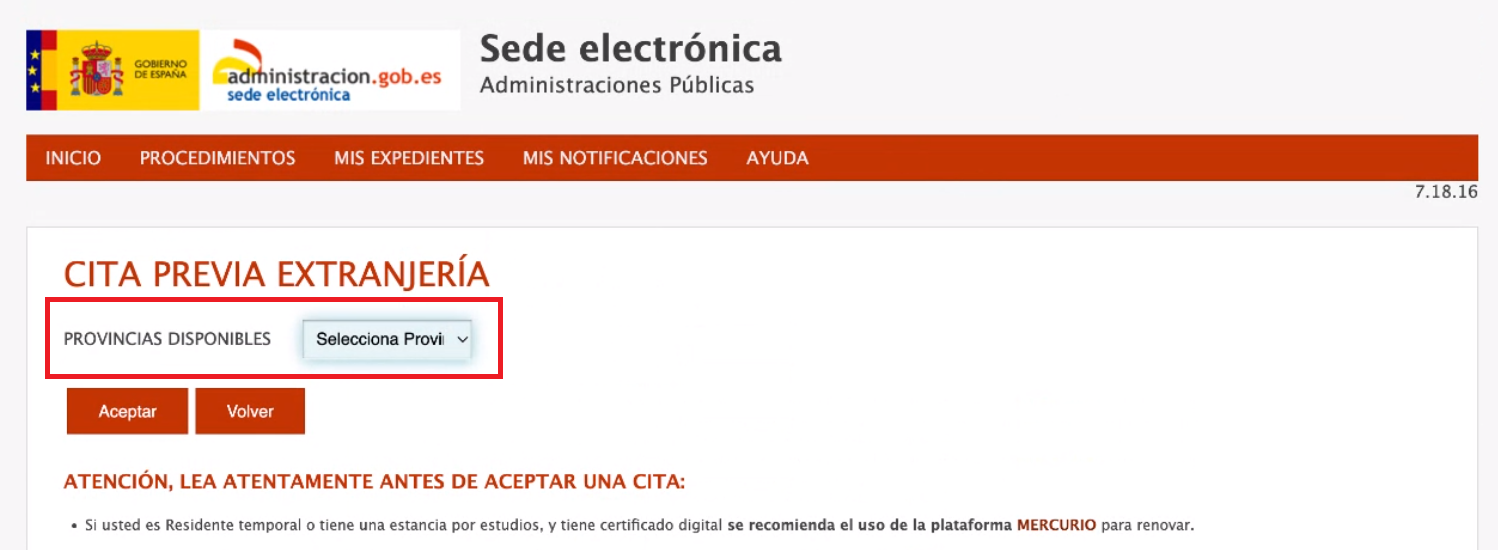
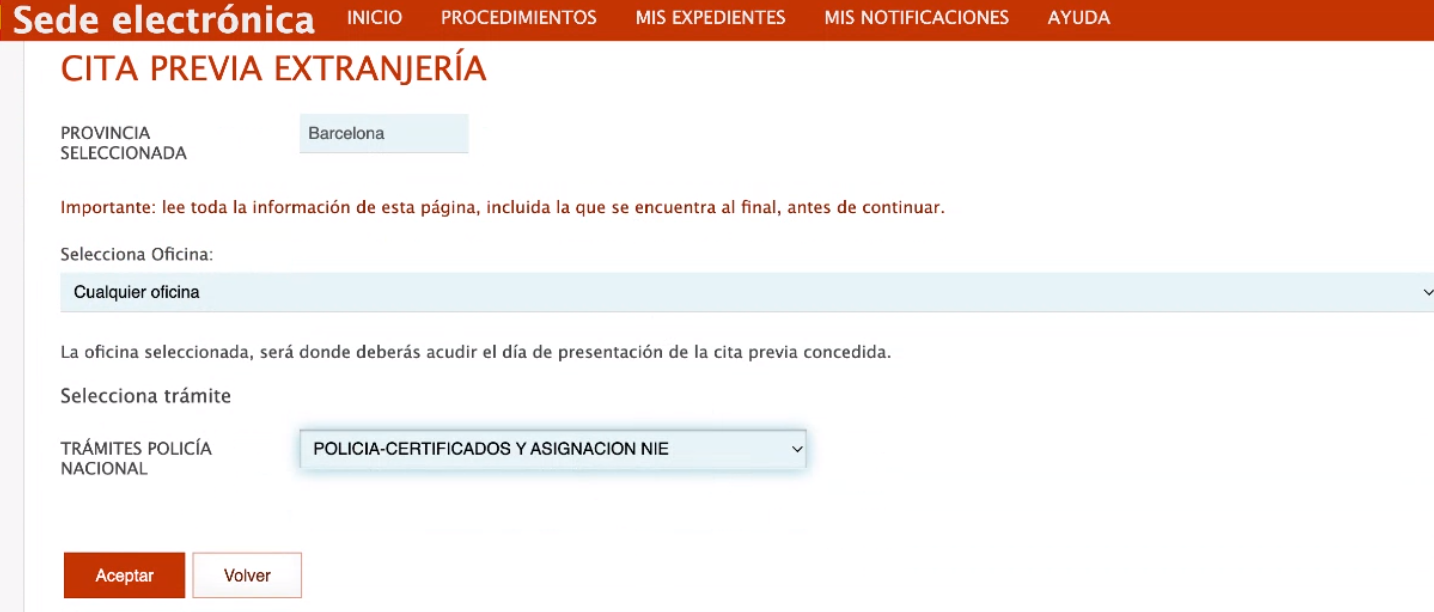
Step 3: Select the procedure
Under “Trámites Policía Nacional” select “Policía - Certificados y Asignación NIE” and press “Aceptar”.
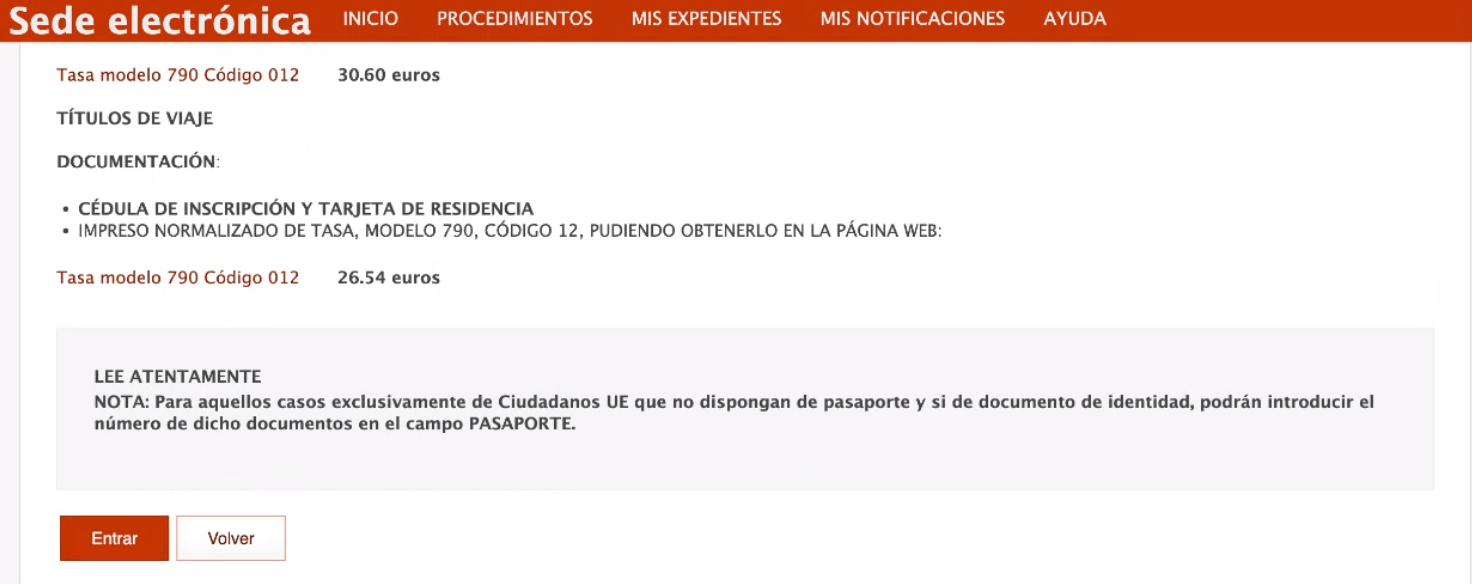
Step 4: Press Entrar
Scroll down the page and press “Entrar” at the bottom.
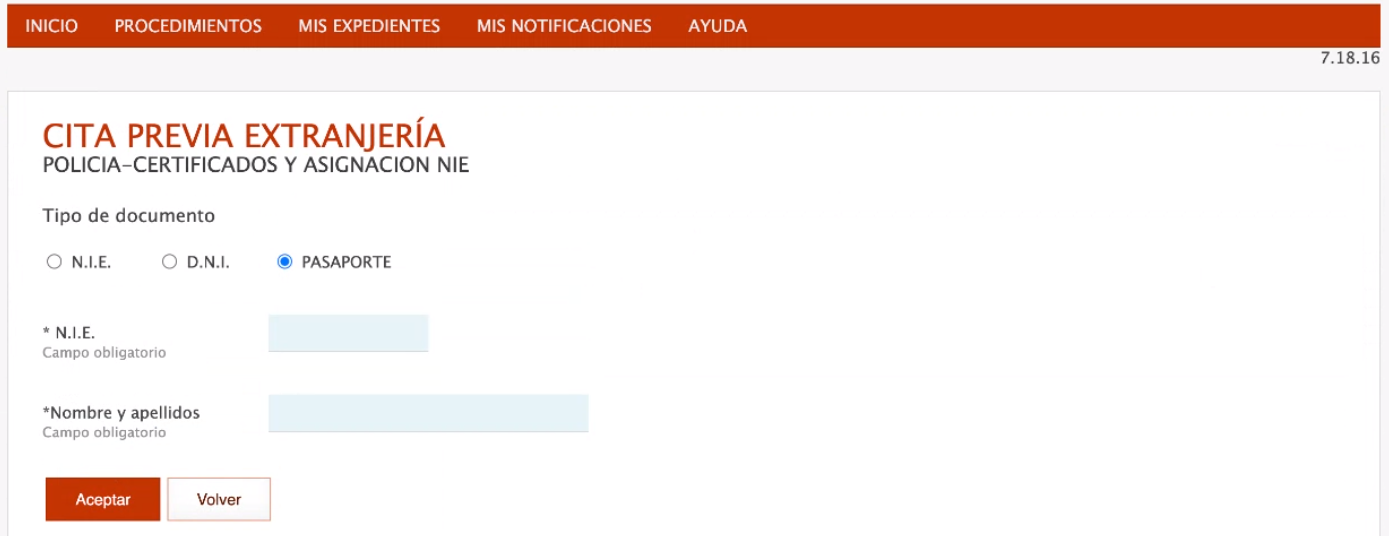
Step 5: Identify yourself
Set “Tipo de documento” to “Pasaporte” and fill in the number of your passport or EU ID and your full name exactly as it appears in that document. Press “Aceptar”.
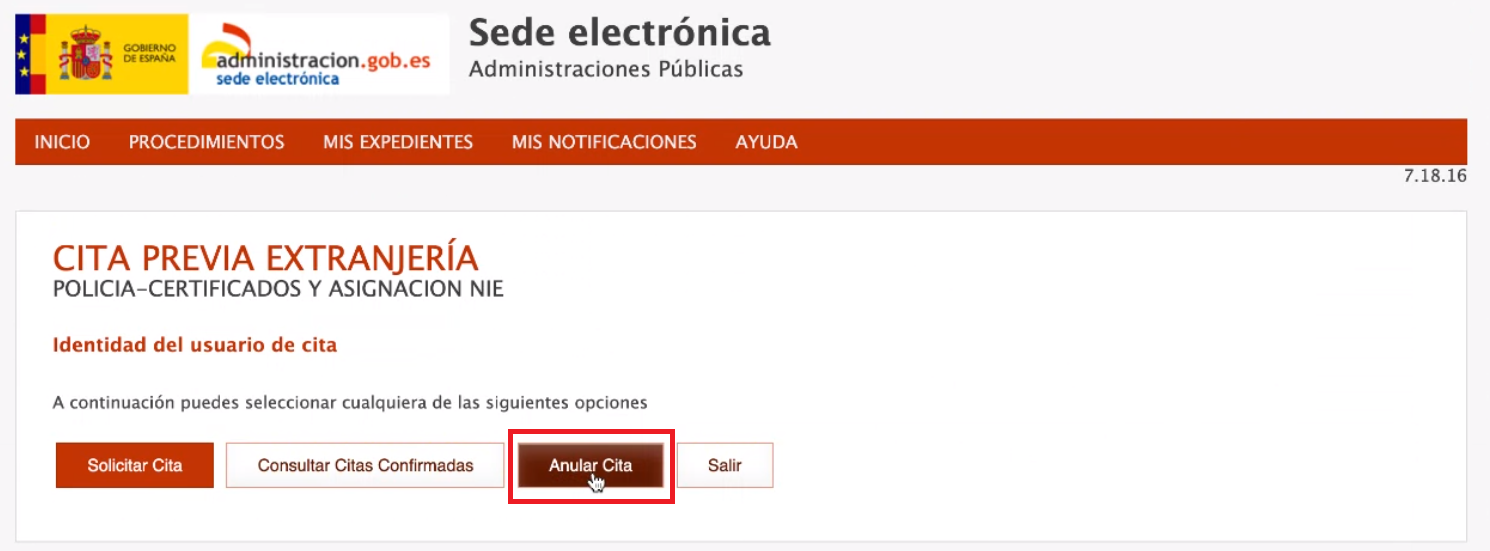
Step 6: Choose Anular cita
Press “Anular cita”.
Step 7: Enter the justificante number
In the PDF confirmation of your cita, find the “Nº de Justificante de cita”:
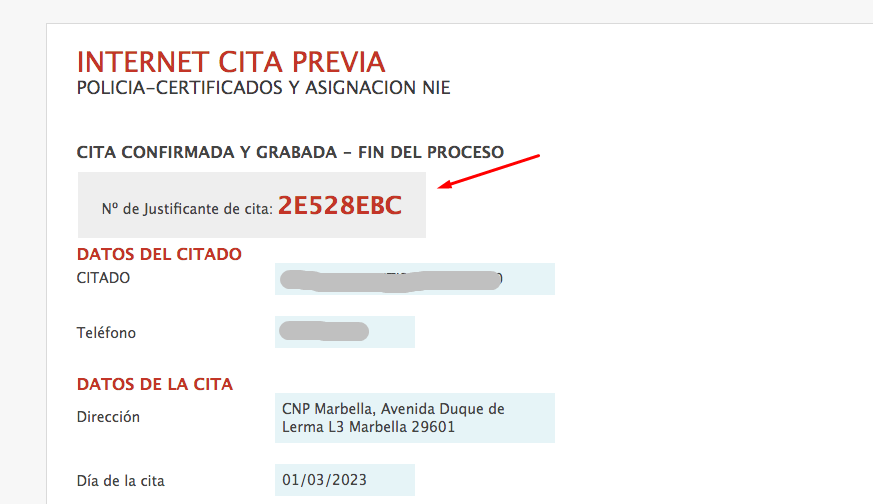
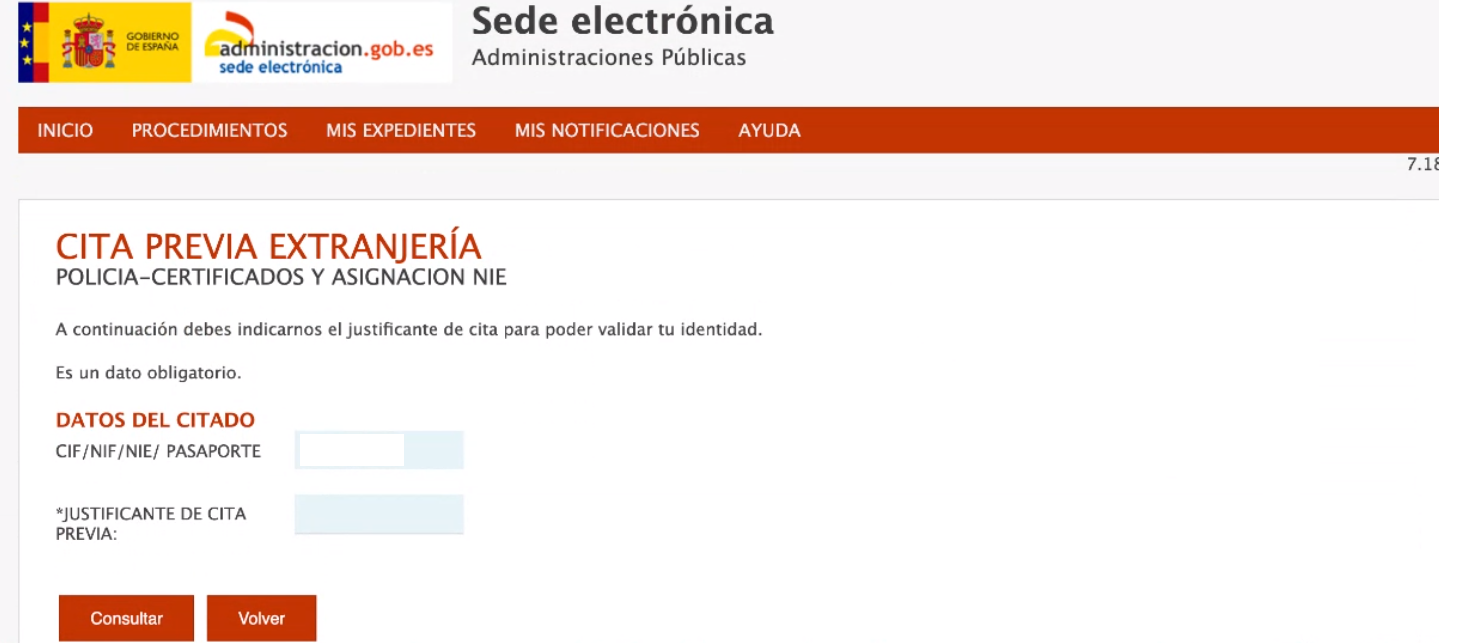
Type it into the “Justificante de cita previa” field and press “Consultar”.
Step 8: Confirm the cancellation
Confirm the cancellation with “Sí”. That is it — your cita is canceled.
Need a new appointment, or none at all?
Our guide to the NIE appointment in Spain lists the official booking route and the documents the National Police asks for. Preparing the paperwork for the new date? The EX-15 form guide explains each field, the form 790 payment and what to bring to the police station. Or skip the appointment entirely and order your Spanish NIE online.
Reviewer and Sources
Reviewed by: E-Residence Team · Last updated:
The screens shown are those of the official cita previa portal at the time of writing; the administration updates the portal from time to time, so a label or button may differ slightly. This page is informational and not legal advice.
Official sources