


Portal das Finanças Login with NIF: Step-by-Step Guide
Once you have your NIF (Número de Identificação Fiscal) and the password for online access, you can log in to Portal das Finanças — the website of Autoridade Tributária where you manage your Portuguese tax affairs. This guide walks through the login step by step, with screenshots, and explains what to do if you have not requested a password yet. If you do not have a NIF at all, get a NIF online first.
Before you start
You need two things: your NIF (upper left corner of the PDF document from Autoridade Tributária) and the password from AT’s letter. If you have never requested a password, skip to registering on the portal below. If you requested one and it has not arrived, see how to receive your NIF password.
Step-by-step: log in to Portal das Finanças with your NIF
-
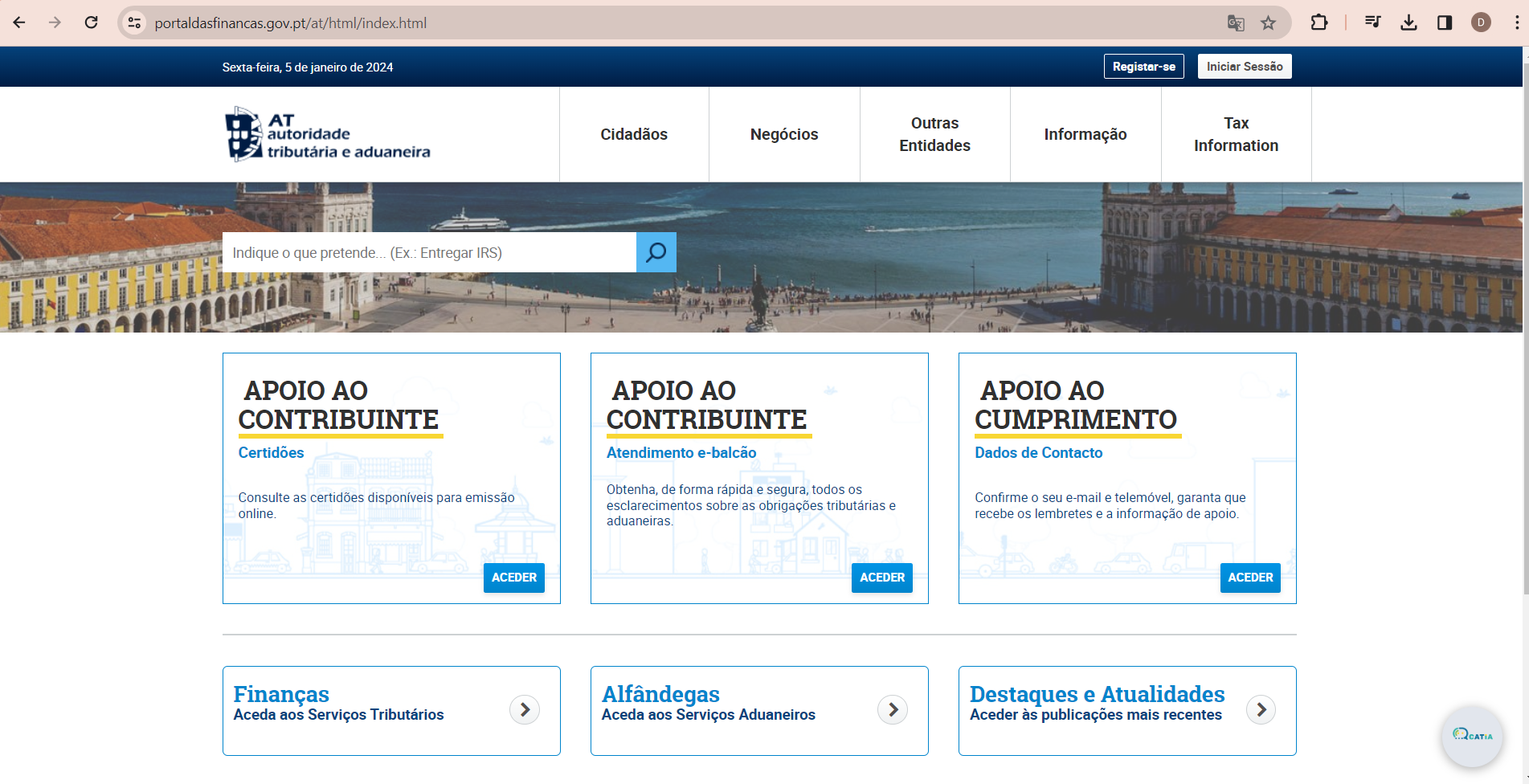
Open the Portal das Finanças website. Go to the official site, portaldasfinancas.gov.pt. Make sure you are on the legitimate, secure website before entering anything.
-
Click “Iniciar Sessão”. The login button is in the top-right corner of the home page (“Iniciar Sessão” means “start session”).

-
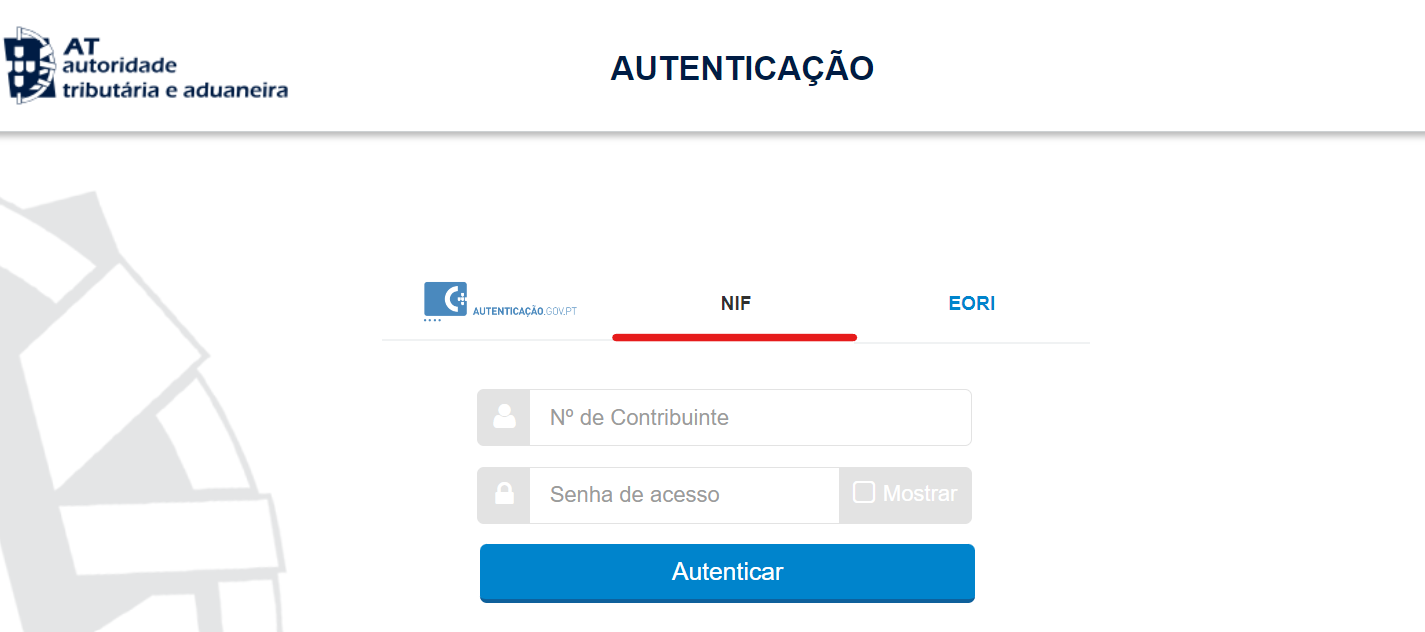
Select the “NIF” tab. On the “Autenticação” screen, choose “NIF” in the middle of the page. The fields for your NIF and password appear.
-
Enter your NIF. Type your NIF (Número de Identificação Fiscal) in the “Nº de Contribuinte” field. You find it in the upper left corner of the PDF document from Autoridade Tributária — see our example of the NIF document.
-
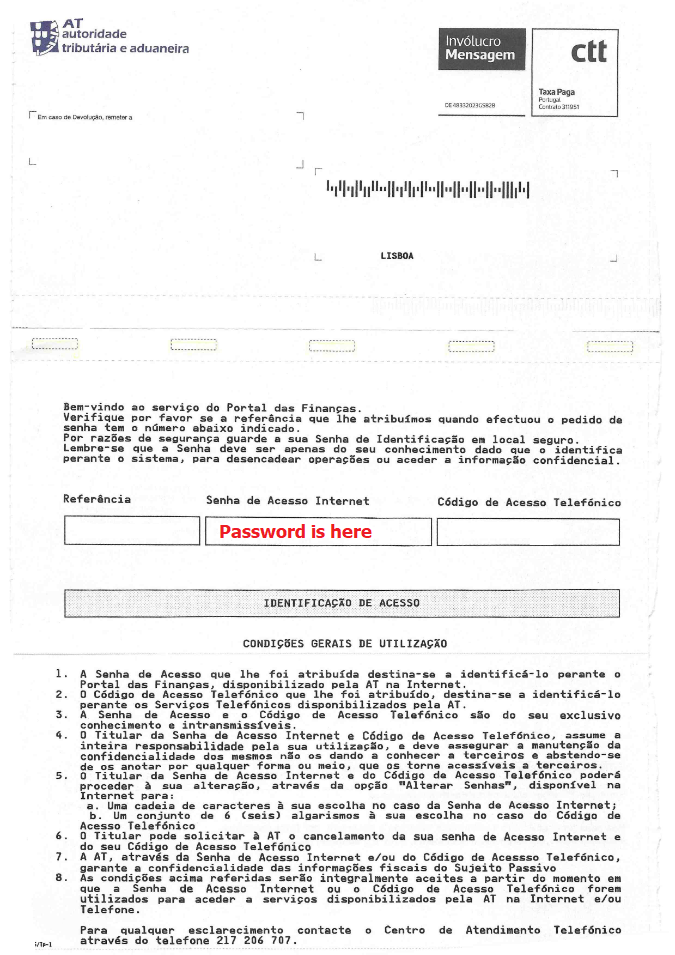
Enter your password. Type the password you received in the “Senha de acesso” field. Type it by hand rather than copy-pasting it from the document, and check it carefully — a mistyped password is the most common reason a login fails.
-
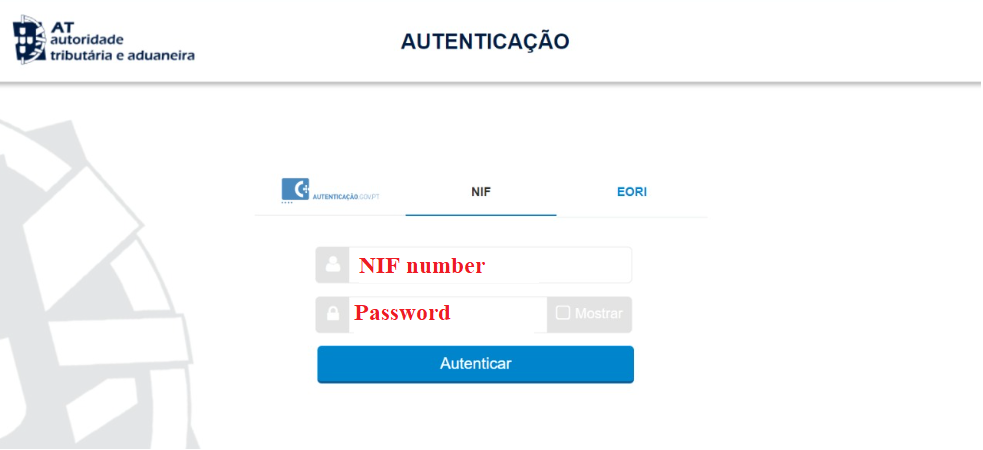
Click “Autenticar”. With your NIF and password filled in, click the “Autenticar” button to log in.
-
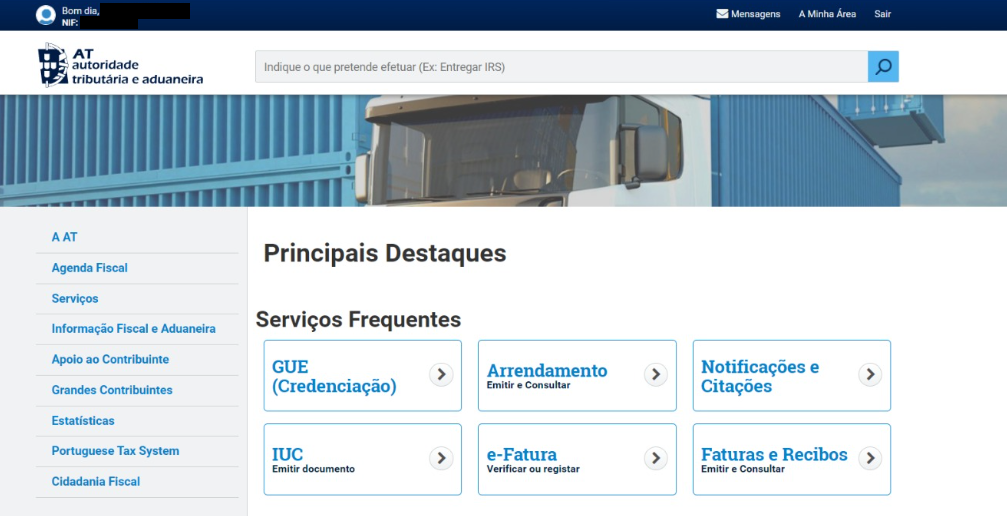
Check that you are logged in. If everything is correct, the portal greets you with your full name and your NIF at the top of the page.
Limited login attempts
You have a limited number of attempts to log in before the portal temporarily locks you out. Before each attempt, compare the NIF and password you typed with the documents you received.
No password yet? Register on Portal das Finanças first
If you have never requested a password, registration on the portal is the first step. You need your NIF to complete the registration form.
-
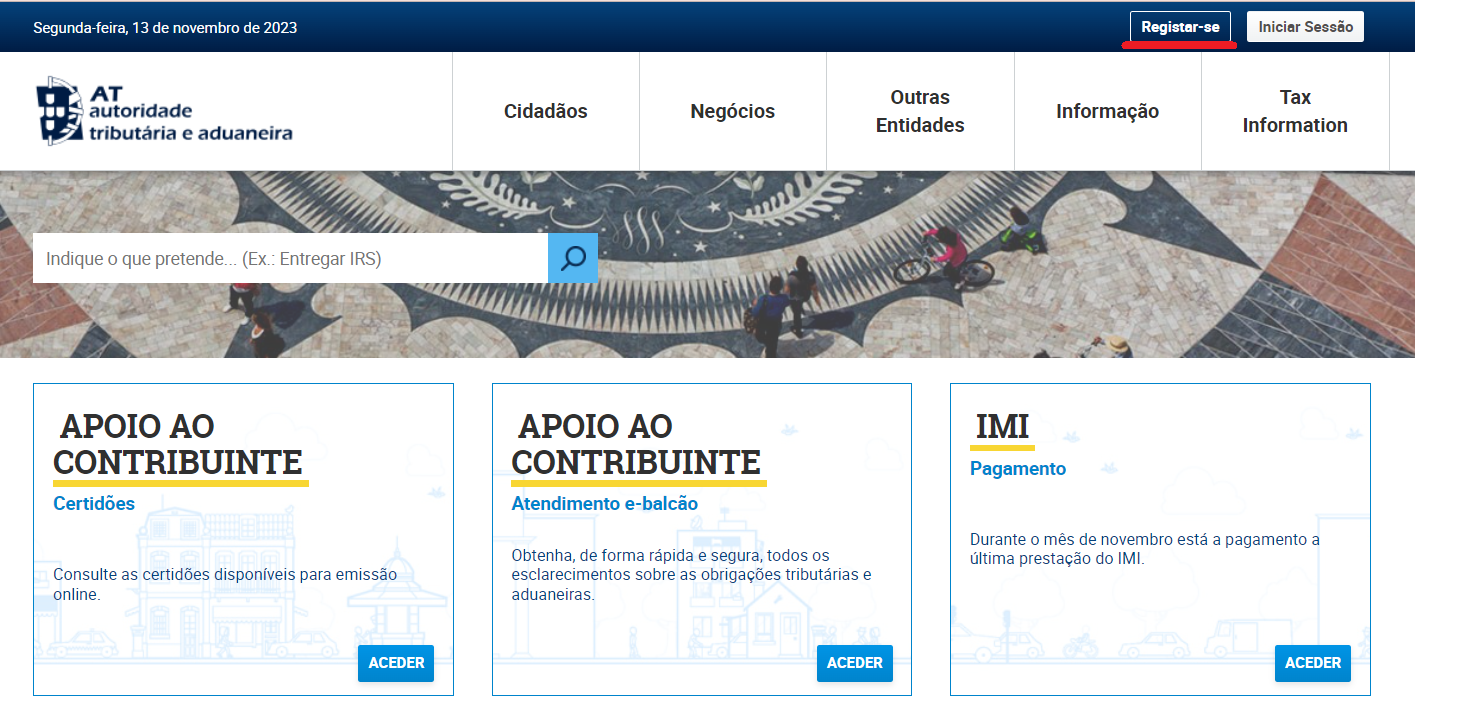
Click “Registar-se”. On portaldasfinancas.gov.pt, click “Registar-se” (Register) in the top-right corner of the home page.
-
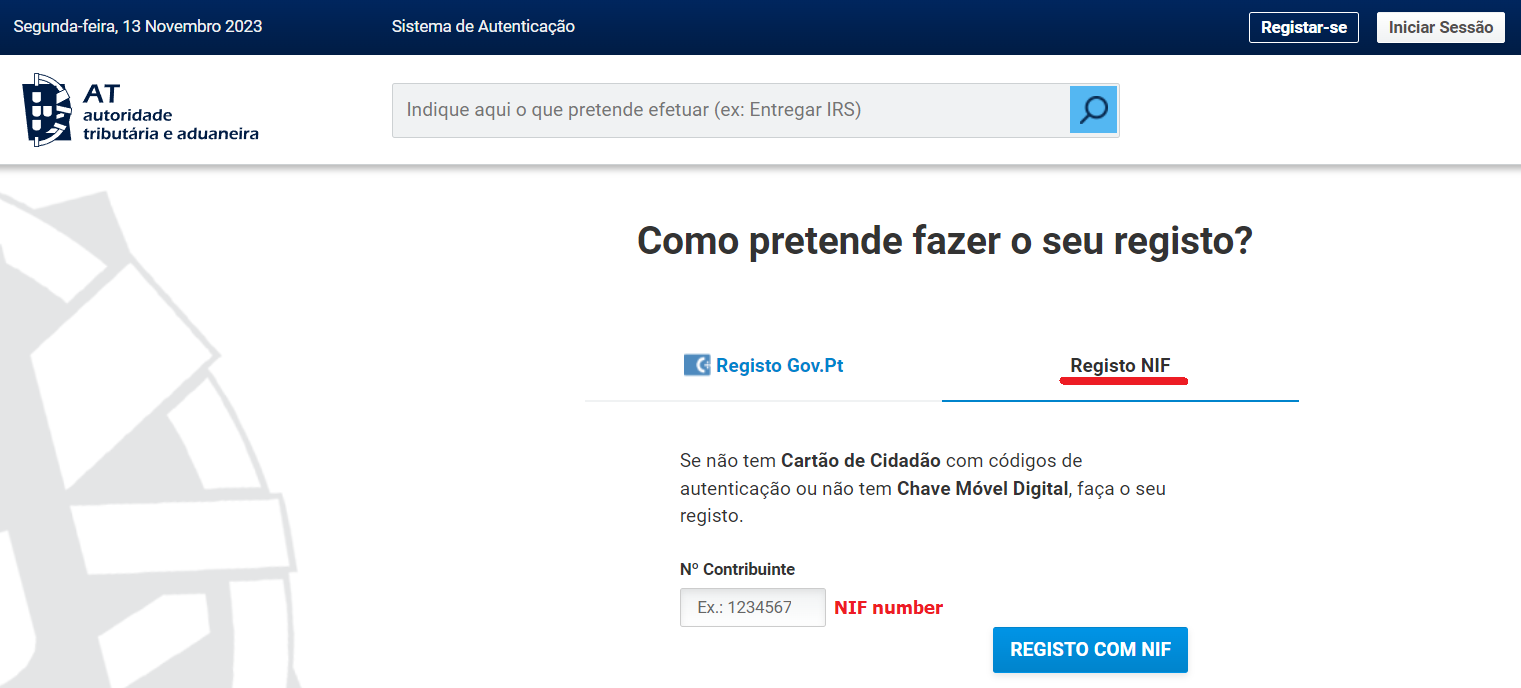
Choose “Registo NIF”. Click “Registo NIF”, type your NIF in the “Nº Contribuinte” field and click “Registo com NIF”.
-
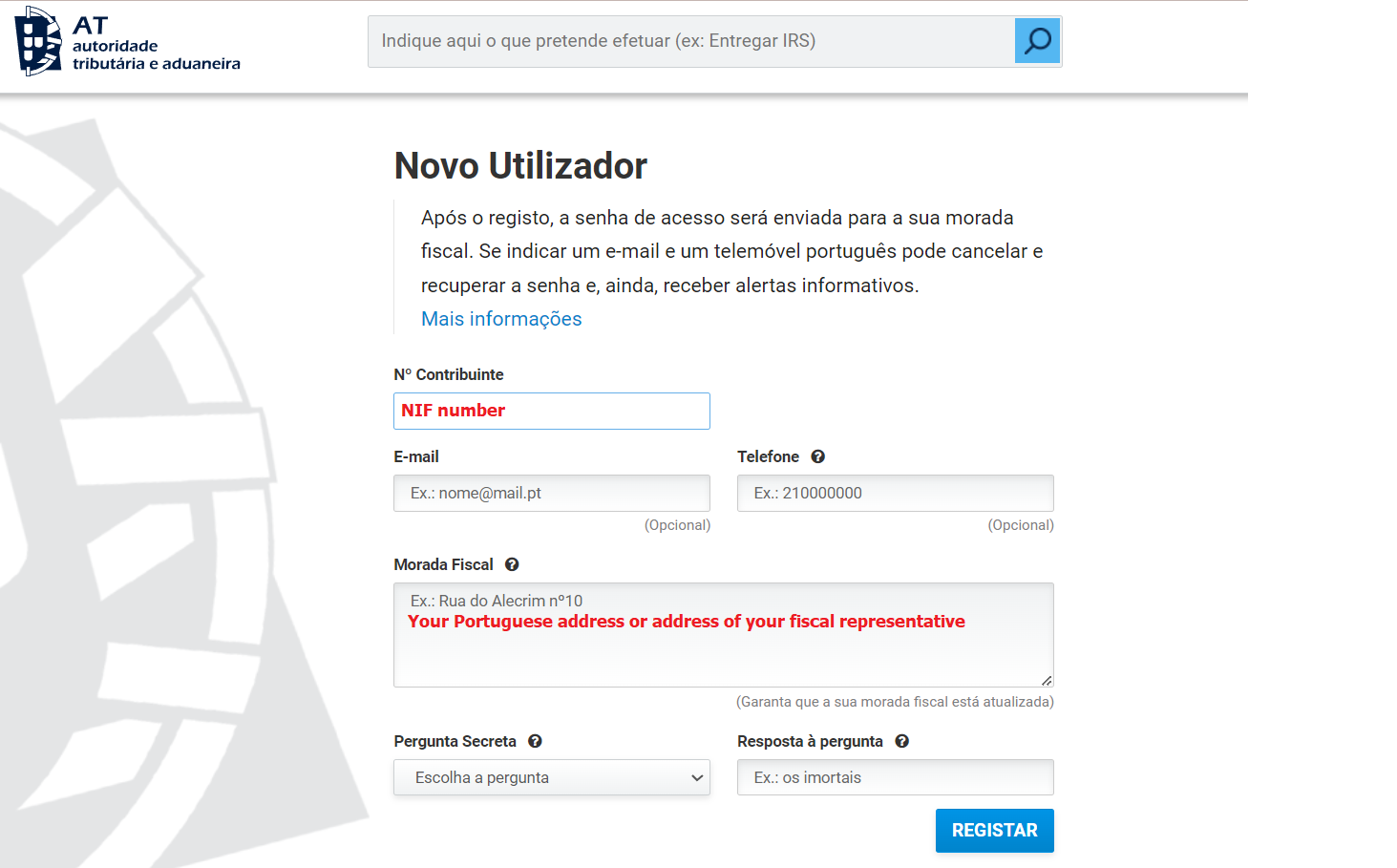
Fill in the registration form. Enter your NIF and your fiscal address (“Morada Fiscal”). If the address on your NIF is outside Portugal, enter the Portuguese address of your fiscal representative — you find it on page 2 of your NIF document, under “Representante”, “Morada”. Choose a security question (“Pergunta Secreta”) and its answer: you need it if you forget or lose your password. Then click “Registar” at the bottom right.
-
Wait for the letter with your password. The portal confirms that the request was accepted (“O Pedido de Adesão foi aceite”). Autoridade Tributária then posts a letter with your password to your tax address.
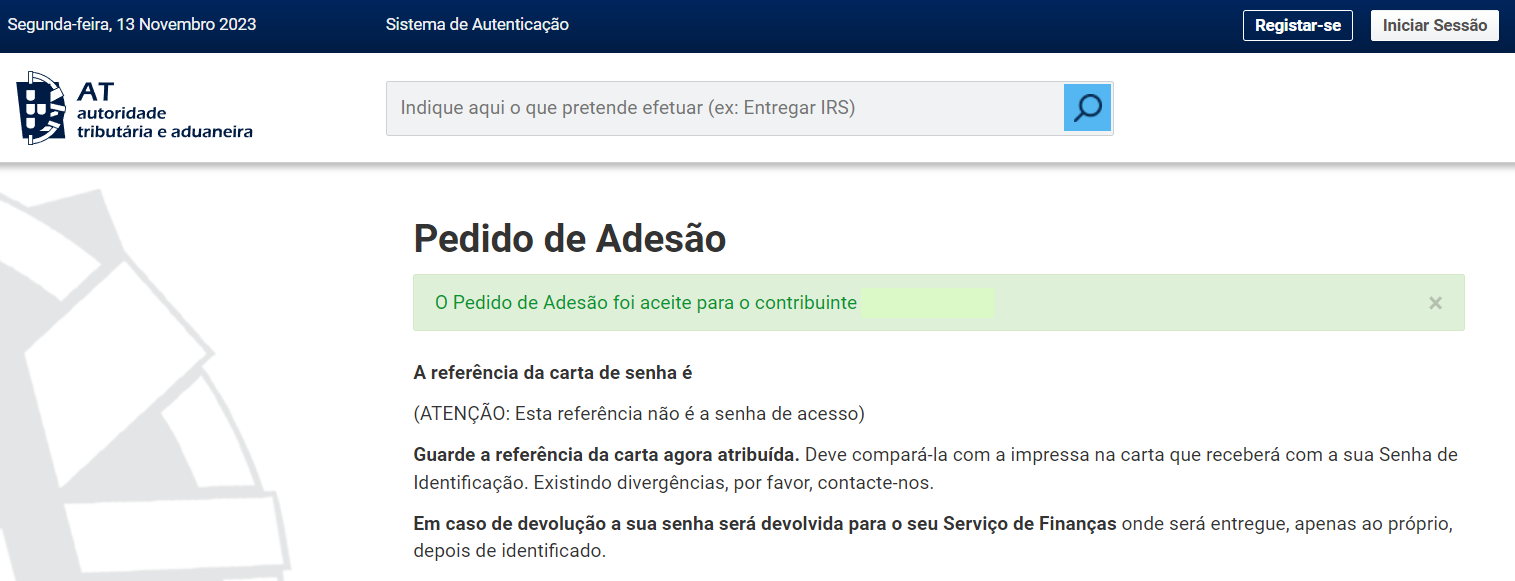
The password is always sent by post (CTT), never by email, to the tax address registered with Autoridade Tributária. If you have a fiscal representative, the letter is delivered to them. For what to expect while you wait, and what to do if the letter does not arrive, see how to receive your NIF password.
Other ways to sign in
- Chave Móvel Digital (CMD). The first tab on the “Autenticação” screen, autenticacao.gov.pt, lets you sign in with a Cartão de Cidadão or the Chave Móvel Digital. Non-residents can get the CMD in person — see Chave Móvel Digital for non-residents.
- A password of your own. Once you are in, you can replace the password from AT’s letter with one you choose — see how to change your password on Portal das Finanças.
Frequently Asked Questions
How do I log in to Portal das Finanças?
Go to portaldasfinancas.gov.pt, click "Iniciar Sessão" in the top-right corner, select the "NIF" tab, enter your NIF and your password, and click "Autenticar". If the details are correct, the portal greets you with your full name and NIF.
Where do I find my NIF for the login?
Your NIF is in the upper left corner of the PDF document issued by Autoridade Tributária. See our example of the NIF document if you are not sure where to look.
What if I do not have a Portal das Finanças password yet?
Register first: click "Registar-se" on the home page, choose "Registo NIF", enter your NIF, your fiscal address and a security question, and click "Registar". Autoridade Tributária posts the password to your tax address; if you have a fiscal representative, the letter goes to them. See how to receive your NIF password.
What happens if I enter the wrong NIF or password?
You have a limited number of login attempts before the portal temporarily locks you out. Before each attempt, compare what you typed with the documents you received, and type the password by hand instead of copy-pasting it.
Start your case
Don't have a NIF yet?
As your fiscal representative, our Cascais team receives the password letter from Autoridade Tributária and forwards it to you, so you can log in to Portal das Finanças from anywhere.
Get your NIF online- Apply online
- We act as your fiscal representative
- We forward the AT password letter to you by email
Reviewer and Sources
Reviewed by: E-Residence Team · Last updated:
The screenshots show the Portal das Finanças interface at the time they were taken. Autoridade Tributária periodically updates the platform; if a screen or button does not match, search the portal for the current option. This page is informational and not legal advice.
Official sources
- Portal das Finanças — portaldasfinancas.gov.pt
- Autoridade Tributária e Aduaneira — info.portaldasfinancas.gov.pt (Senha de acesso)